Smartphone photos - how to make them stand out?
30/09/2026
The smartphone: a real camera
Multiple sensors, optical image stabilisation, exposure settings… smartphones can now rival advanced cameras. Many recent models offer more than 48 or even 200 megapixels, as well as several lenses (wide-angle, portrait mode) to suit every subject. While the default mode is often sufficient, a few simple settings can help you perfect your shots.
This leap in quality has changed the possibilities for printing your photos. A holiday photo, a family portrait or a landscape captured during a walk can all become large-format prints, provided you follow a few simple rules.
Which format should you choose depending on the quality of your smartphone photo?
Resolution: the first thing to check
Wall art is viewed from a distance, allowing for larger formats than you might imagine, even with a photo file taken on a phone. The resolution of your file — in other words, its number of pixels — determines the maximum print size you can achieve without losing quality. The more pixels a photo contains, the more it can be enlarged without visible pixelation.
Many people print a photo received via WhatsApp or email instead of using the original file from their phone, without realising that these applications compress images when they are sent. This may not be noticeable on a screen, but when printed in a large format, the image may appear blurred or pixelated.
It is essential to keep the original file, without cropping, editing or excessive compression, before ordering your print.
Our guide to preparing an image for printing explains the settings you should check before getting started.
Light and sharpness: the keys to a successful print
Beyond resolution, the quality of the light and the sharpness of the photo have a direct impact on the final result. A photo taken in good natural light, without digital zoom, will retain its wealth of detail even when enlarged. Conversely, a blurred image taken in a dark environment or with heavy zoom is better suited to a smaller, more intimate format.
Photos taken in portrait mode with a blurred background, as well as photos filtered or edited using apps, can be printed, but may show digital noise once enlarged.
A range of formats for every photo, from medium to extra-large
Our professional laboratory offers a wide range of fine art print formats designed to accommodate different file qualities and bring all your interior design projects to life.
The Selection format (from 35 × 35 cm to 45 × 30 cm), our laboratory’s bestseller, is the ideal medium-sized format for most photos taken with recent smartphones. Renowned for its excellent value for money, this format is available with an Acrylic Glass finish or, for a more minimalist look, on Aluminium.
For the sharpest, best-exposed shots, the Large format (from 60 × 60 cm to 90 × 60 cm) gives your image a real presence on the wall. More immersive yet easy to display in any interior, this large format is available in our five finishes, with or without a mount for the Large Framed format.
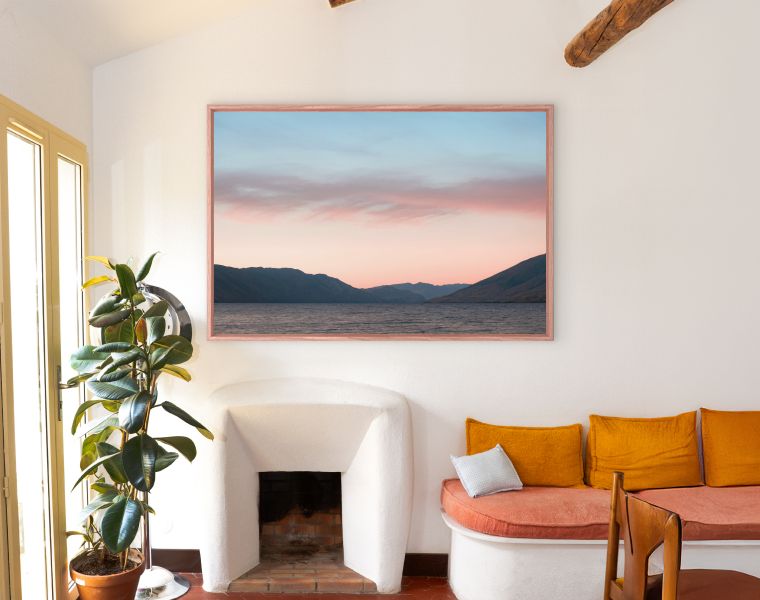
When the quality of the file allows it, choose the Giant format (from 100 × 100 cm to 150 × 100 cm), or even our Collector format (up to 180 × 120 cm). These extra-large prints can transform a smartphone photo into the centrepiece of a living room, for example. Available in a variety of finishes to blend seamlessly with your interior style, they can be further enhanced with a shadow-gap frame.
Every format, finish and framing option offered by our printing laboratory is just as suitable for a photo taken with a DSLR as it is for one captured on a smartphone. A holiday photo, a sunset or a spontaneous portrait also deserves pride of place on your walls.
Still unsure which format is best suited to your photo? Our YellowKorner gallery teams can help you make the right choice.
Key takeaways
- Recent smartphones, with their high-performance sensors and stabilisation technology, make it possible to print photos in even the largest formats, such as LabKorner’s Giant format.
- The choice of print format depends on three main criteria: file resolution, quality of light and image sharpness.
- Always use the original file of your selected photo to achieve the best possible print quality.
- Our laboratory, a partner to both professional and amateur photographers, offers print formats ranging from Mini to Collector, ensuring that every photo can find the format that suits it best.
Ready to free your favourite memories from your smartphone photo gallery?
© 2026, Justine Grosset for LabKorner